 English
Antecedentes
Con el avance de la nube y la automatización de los procesos en las empresas, Microsoft Office 365 se está extendiendo de forma imparable, sustituyendo a las clásicas instalaciones de Exchange que requerían de un mayor mantenimiento y control. Sin embargo, la nube trae cambios, y toca adaptarse a un sinfín de nuevas configuraciones, nuevas vías para hacer las cosas a las que ya estábamos habituados y nuevos modos de licenciamiento.
Desde el punto de vista forense, los peritos teníamos diferentes opciones para presentar un dictamen pericial que diese fe de la existencia de determinados correos electrónicos dentro de un buzón. Entre otras opciones destacadas, y atendiendo al principio de siempre “clonar” el mayor contenedor, podíamos acceder a Exchange para exportar el buzón de correo del usuario, podíamos clonar el propio servidor de correo, o incluso, el disco duro del PC del propio usuario del que luego extraer el PST. Sin embargo, todo esto está cambiando. Los servidores ahora están en un proveedor externo, Microsoft (como ya pasaba si teníamos contratado un hosting en modo SaaS), y los usuarios se están habituando a utilizar Office 365 desde su navegador. Y, en estas circunstancias, ¿cómo clonaríamos un buzón de correo electrónico manteniendo todas las garantías de integridad forense? De eso os hablaremos en este artículo.
Introducción
Desde Zerolynx realizamos periciales forenses todos los meses, principalmente derivadas de clientes que nos llaman tras haber sufrido una Estafa del CEO, con el objetivo de, por un lado, analizar el fallo de seguridad que ha propiciado la interceptación del correo, para tratar de ponerle solución, y, por otro lado, para facilitarles la judicialización del caso y la posible recuperación del dinero. Pero sobre estos casos os hablaremos en otro artículo, hoy nos queremos centrar únicamente en Office 365.
Lo primero que tenemos que conocer es que Microsoft tiene diferentes modos de licenciamiento, en función del número de herramientas y funcionalidades incluidas. Y, la seguridad avanzada, solo se encuentra incluida en el plan E5. Dejo este dato aquí reflejado porque más adelante volveremos a ello.
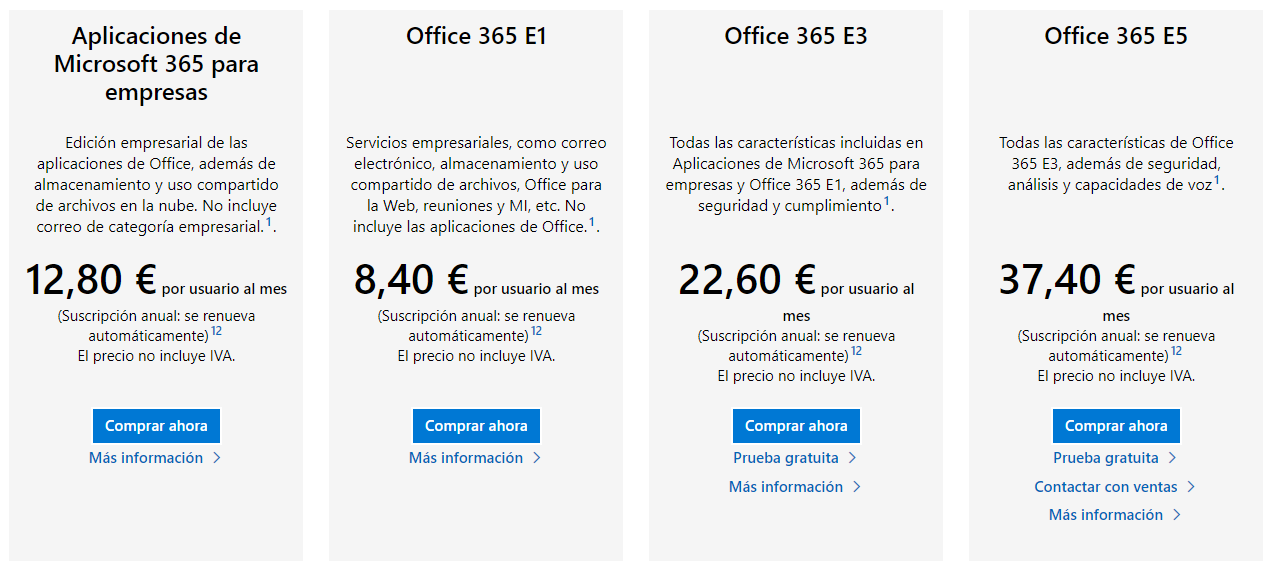
La mayor parte de las empresas que trabajamos con Office 365 contamos con el plan E1 o E3, que, por lo general, cubre casi todas las necesidades de las organizaciones.
Problemática
Cuando desde Zerolynx comenzamos a realizar forenses sobre Office 365, nos mantuvimos trabajando con cierta normalidad, clonando los equipos de los usuarios donde tenían sincronizados sus buzones (dentro del cliente de Outlook), hasta que surgió un caso forense donde esto no era una posibilidad. Obviando la complejidad del caso, que no aporta mayor detalle para contextualizar el artículo en sí, nos dirigimos a la consola de Office 365 con un usuario con los privilegios correspondientes que nos facilitó el cliente, con el objeto de acceder, congelar el buzón para tener una copia íntegra e inmutable que garantizase que siempre obtendríamos la misma firma hash, y descargarlo.
A continuación, mostramos brevemente el proceso de descarga del buzón, ampliamente documentado en multitud de artículos en Internet.


Detalle de resultados

Exportación de la información
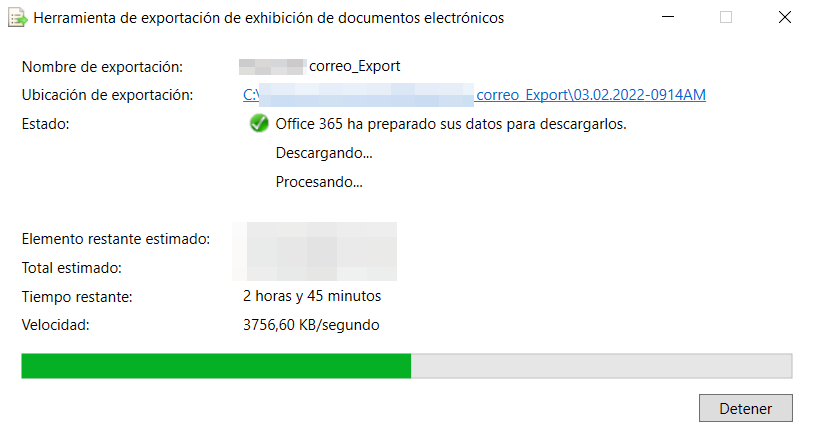
Descarga de los resultados
Una vez descargado el PST, procedimos a firmar el archivo, obteniendo el correspondiente hash SHA256. Y, como siempre tenemos que hacer los forenses para garantizar la integridad, y como buena costumbre, lo descargamos de nuevo y lo volvimos a firmar para verificar que el proceso funcionaba correctamente, y que, en caso de contrapericial, la futura extracción sería idéntica a la actual. Pues cual fue nuestra sorpresa que, a pesar de tener el buzón aparentemente inmovilizado, el hash no coincidió. ¿Qué estaba pasando? Aunque ya teníamos más o menos claro lo que estaba ocurriendo, abrimos un caso con Microsoft, y aprovechamos para debatir el tema en paralelo con otros MVPs que, como nosotros, están lidiando regularmente con estas tecnologías. Y, a los pocos días obtuvimos la siguiente respuesta:

Pues sí, al contrario de lo que cabría pensar, Microsoft modifica los archivos en tiempo real durante cada descarga, añadiendo determinados bytes que alteran su contenido, y, por tanto, su hash. Por tanto, no es posible descargar un buzón de correo completo manteniendo su integridad.
En estas circunstancias y con algo de pensamiento lateral, aun podía justificarse la situación en el informe pericial, contando el problema tecnológico, e, irremediablemente, extrayendo el “msg” del correo a ratificar en sí, firmando, aunque fuese este último, con el fin de evidenciar que, si se extrajese en el futuro de una nueva descarga, se obtendría el mismo hash. Pero, de nuevo nos llevamos una sorpresa, los msg tampoco eran íntegros, y en ellos también se incluían determinados nuevos bytes con cada descarga.
Por tanto, solo quedaba una solución, y es la que refleja Microsoft como respuesta en su caso, adquirir una licencia de tipo E5, la cual, y con la opción Advanced eDiscovery sí permite generar un hash “online” y garantizar dicho hash durante las descargas.
Anteriormente, éramos las empresas que nos dedicábamos a forense quienes debíamos adquirir las herramientas necesarias para realizar las clonaciones y los análisis, pero, con el nuevo enfoque de la nube, todo se dirige a que sean los clientes quienes tengan ahora que comprar estas herramientas y darnos acceso a los forenses para poder trabajar.
Para que veáis como se generaría el hash con una licencia E5, os compartimos a continuación algunas capturas del proceso.

Acceso a Advanced eDiscovery

Creación del caso
Posteriormente, se crearía una suspensión de la cuenta de correo para preservar el contenido del buzón de forma íntegra.

Suspensión de la cuenta de correo

Detalle de suspensión de la cuenta seleccionada y filtros de fecha
A continuación, se asignaría un custodio al caso:

Asignación de Custodio
Más adelante, se crearía una colección, es decir, se seleccionaría el contenido completo del buzón que sería descargado:

Detalle de la Colección
En este punto, se crearía un conjunto de revisión que sería asignado a la colección anteriormente definida:
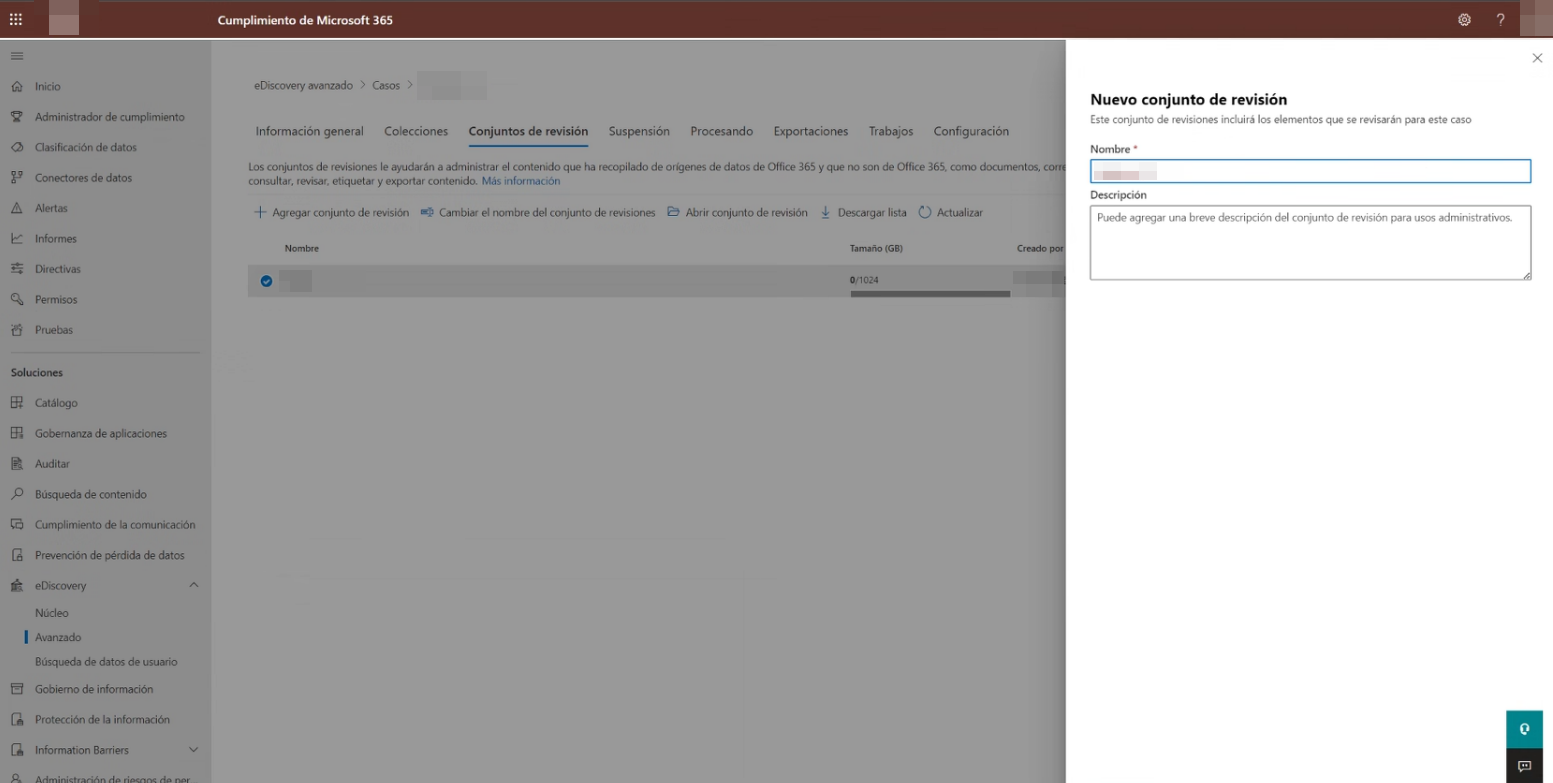
Creación de Conjunto de Revisión

Asignación de Conjunto de Revisión a Colección
Y, finalmente, se generaría el archivo de exportación forense:

Exportación de la información
Una vez generada la exportación, se procedería a su descarga.

Descarga de los resultados
Una vez descargado, este ya sí, mantiene su integridad y, por tanto, garantiza su hash en el tiempo.
Conclusión
Lo más importante en un informe pericial es ser claros, garantes y concluir sin lugar a duda, que nuestras premisas son las correctas. Es cierto que se puede garantizar la inmutabilidad del contenido de una evidencia aun modificándose su firma hash, pero si podemos evitarlo, en este caso, contratando una nueva licencia, nos ahorraremos explicaciones y preguntas durante la ratificación en la sede judicial. Por tanto, antes de comenzar un análisis forense de Office 365, aseguraos de que vuestro cliente cuente con una licencia de tipo E5 a la que pueda daros acceso, o, de lo contrario, el tema puede que os de algún que otro quebradero de cabeza.
Juan Antonio Calles, CEO de Zerolynx
Jorge Escabias, Responsable de Seguridad Ofensiva
Mauro de Croce, Analista de Ciberseguridad